

Admin App Rewrite
As Inturn began migrating customers to the new NextGen platform, an unexpected blocker surfaced. Our internal Admin App, the tool the implementation team used to set up customer environments, manage feature flags, and onboard new accounts, was written in PHP and Angular 1, hadn't been touched in five years, and was actively blocking the migration. The product team reorganized to prioritize a full rewrite, and we embedded a few members of the implementation team directly into the work as core users. Over three months we ran research, journey mapping, database restructuring, and high-fidelity design.
I left Inturn in November 2021 with engineering working through how to build out the proposed database architecture. I'm not sure whether the rewrite ever shipped.
Inturn was acquired by Mad Street Den in November 2022.
Client: Inturn
Roles: Senior Product Designer
Year: July 2021 – October 2021
Discovery
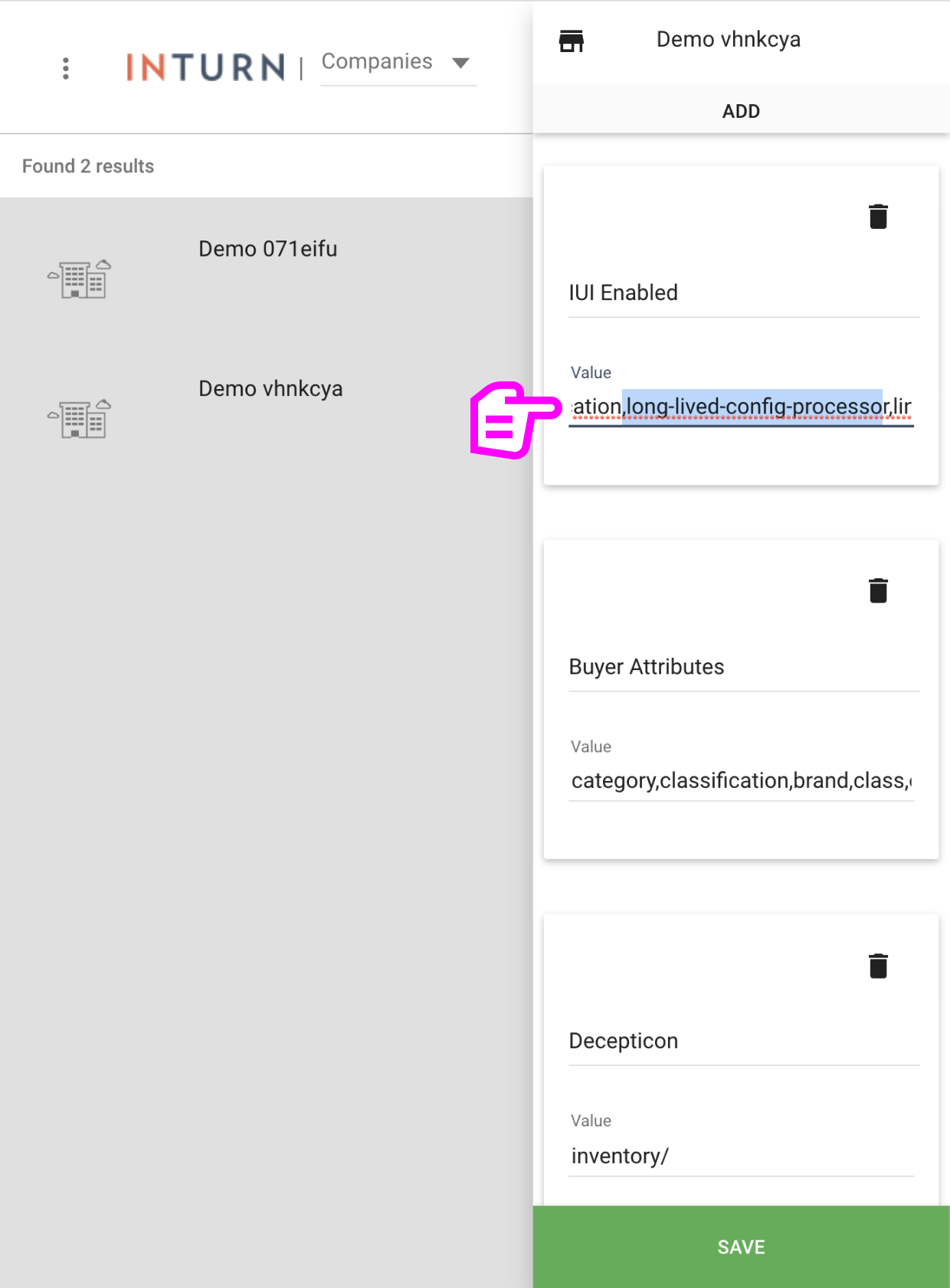
The pod ran biweekly check-ins with our Customer Support team to track customer feedback and platform pain points. The Admin App came up enough times that it became clear it wasn't just an aging tool. It was actively in the way. The pain points were specific:
Feature flag confusion. No standard naming, no required descriptions, no tracking when a flag became standard or got retired. New hires couldn't tell what any of the 100+ flags actually did.
Configuration tracked in side documents. Implementation teams kept value strings in personal notes and Google Docs because the app didn't surface them.
No way to manage across environments. A company and its users had to be manually recreated for every environment they needed access to.
No session logs, weak permissions, no SSO. Standard table stakes for an internal tool that the app didn't have.
Migration blocker. The combination of all of the above was making the NextGen migration impossible to scale.
Mapping the work
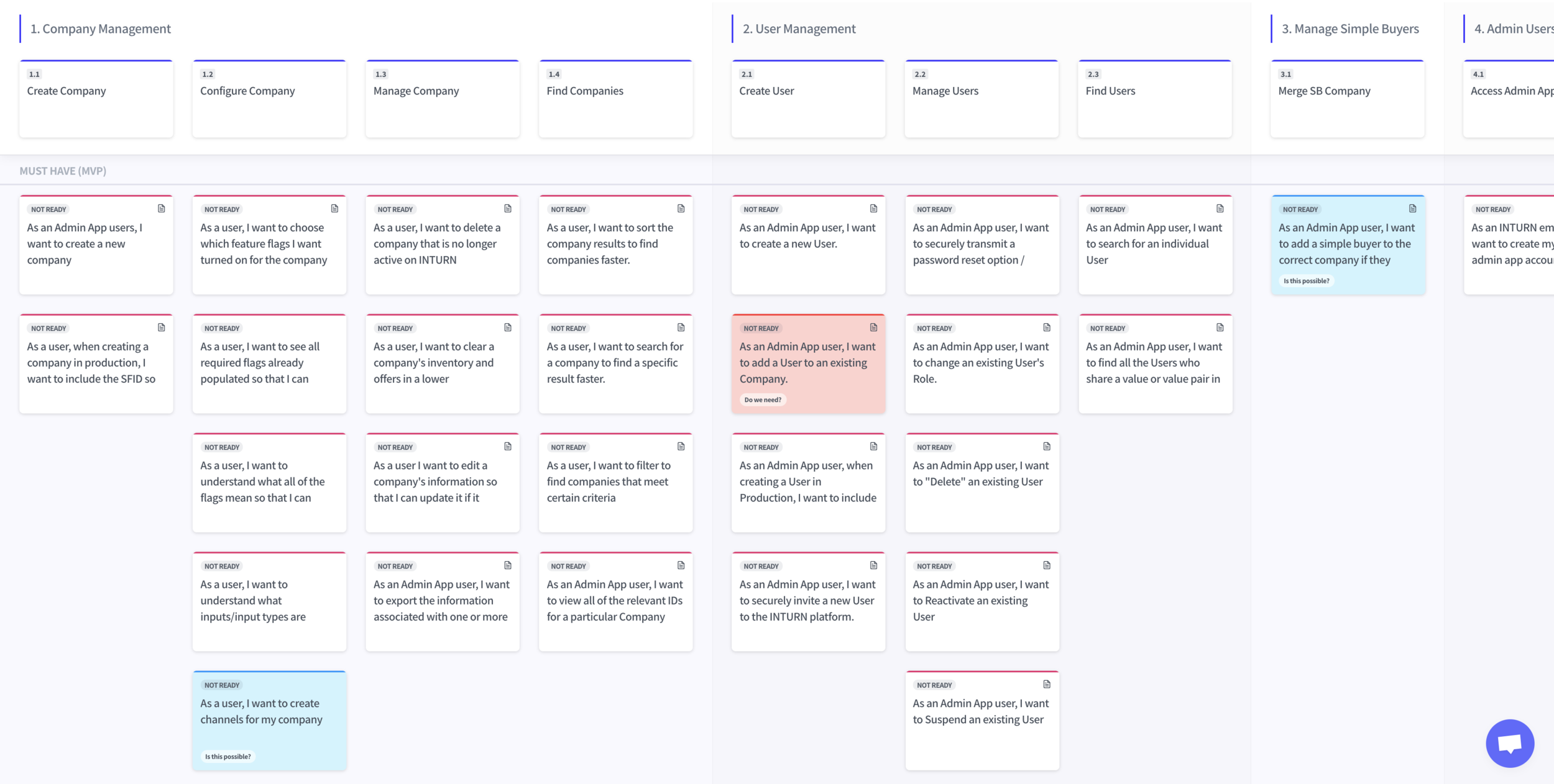
To define what an MVP should include, we ran user story mapping sessions with the implementation, customer success, and QA teams. We surfaced four core user journeys: company management, user management, simple buyer, and admin user management. We broke each one into the specific actions a user would need to take. Stories then got bucketed into MVP, post-MVP, and nice-to-have so design sprints could focus toward something achievable.
In parallel, we looked at how other platforms handled admin tooling. Our head of product walked us through deep demos of Jira's and Google's admin tools, and a few patterns shaped where we landed: educational text embedded throughout, bulk management, searchable fields, permissions-based access, and SSO. From there we moved everything into Jira, grouped tickets by action type so engineering could scope cleanly, and carried forward the paired design/dev ticket pattern that worked on Flatiron.
Cleaning up feature flags
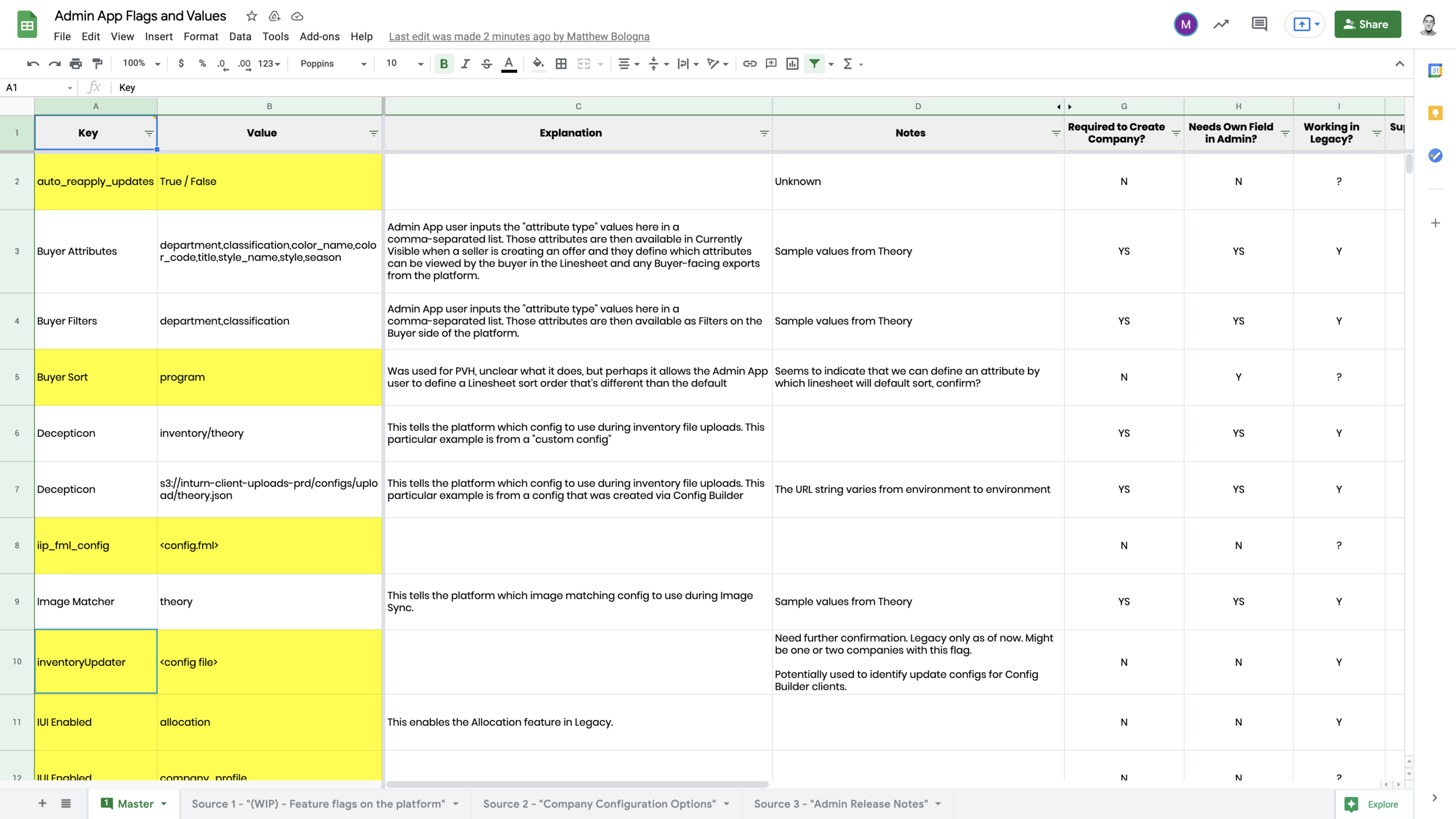
We couldn't add educational text in the new app without first knowing what the flags were. At the time, Inturn tracked 100+ feature flags across a sprawling Google Sheet. No standard naming, no required descriptions, and no way to tell which flags were active, retired, or already standard. Pulling in our SDET, we worked through the sheet together and cut 35 flags that were no longer in use. She also walked us through the meaning of many more.
We started conversations with LaunchDarkly about automating flag management going forward, but those got paused for budget reasons.
Rebuilding the architecture
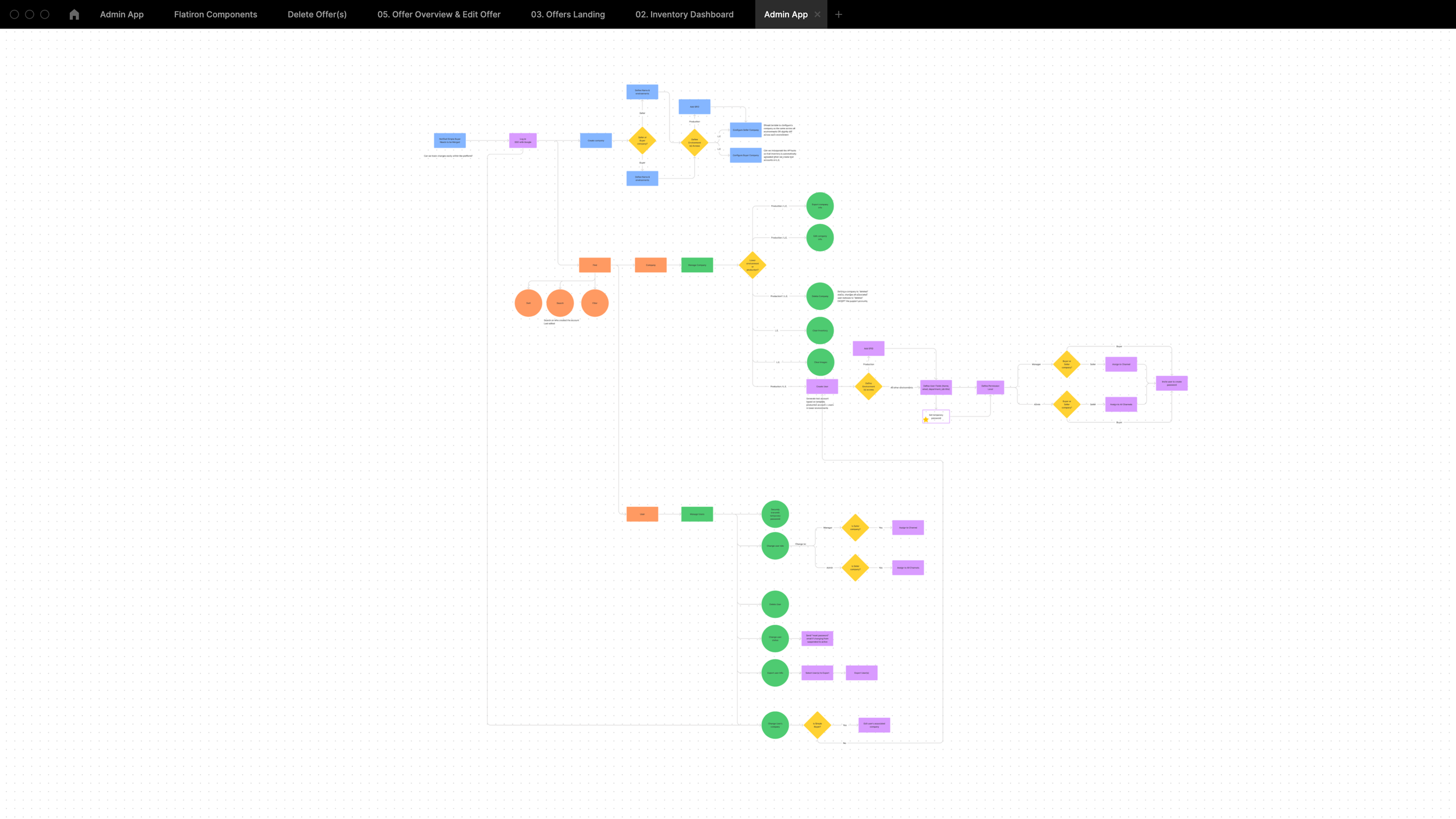
The legacy Admin App had a separate instance for every environment. A company and its users had to be manually recreated every time they needed access to a new one. Duplicate work, duplicate data, no way to see a single customer across the system they actually used.
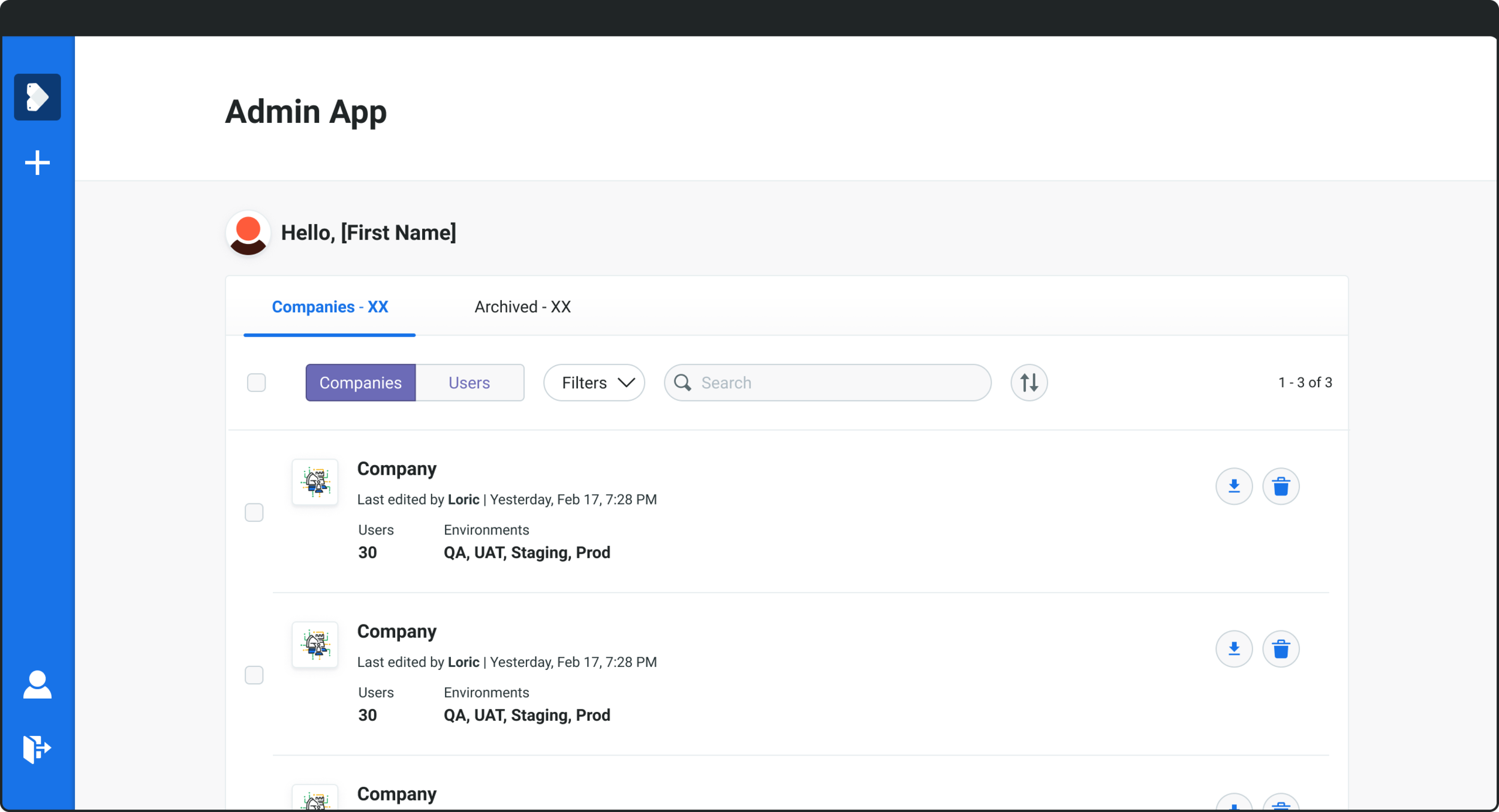
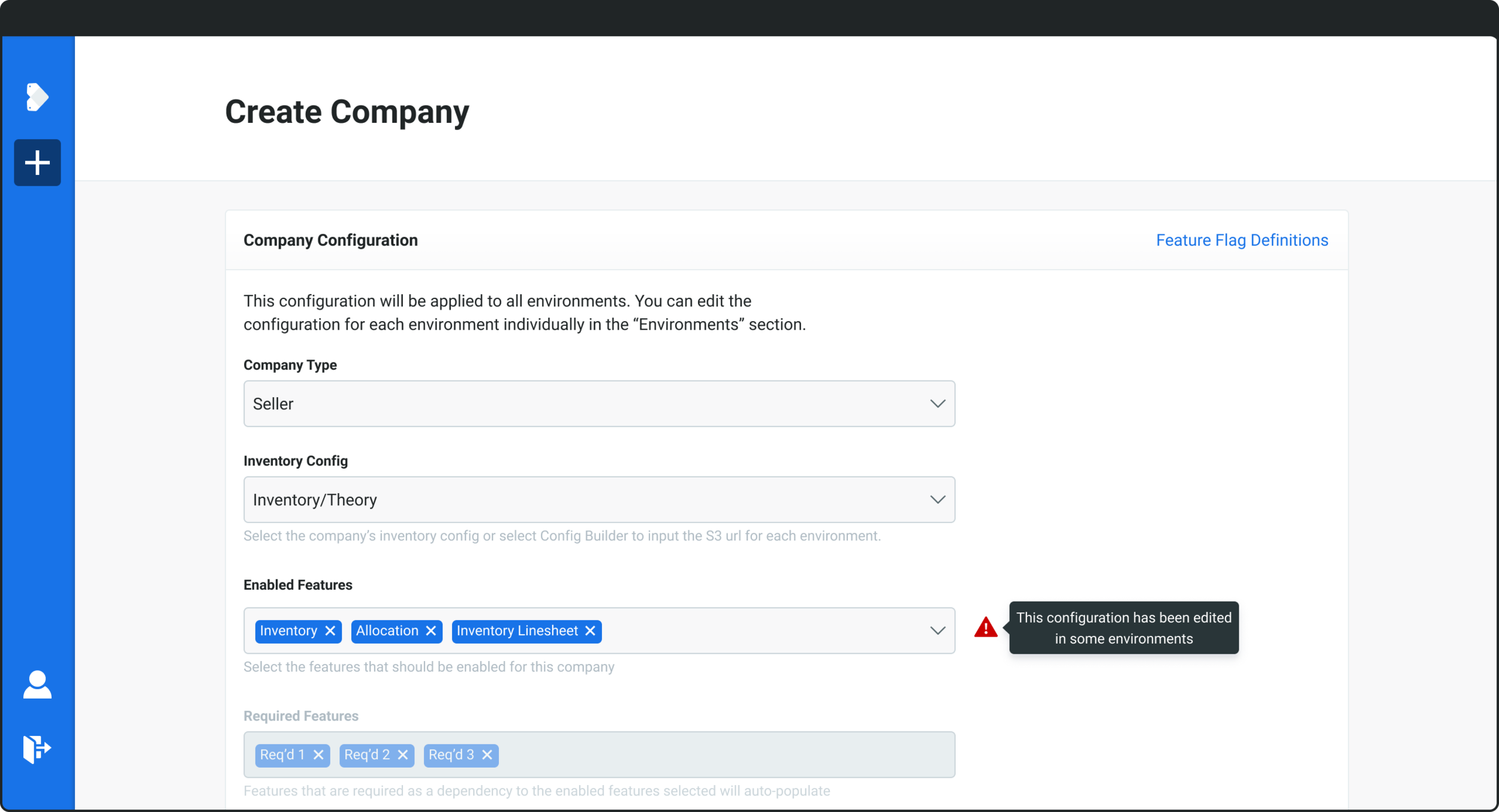
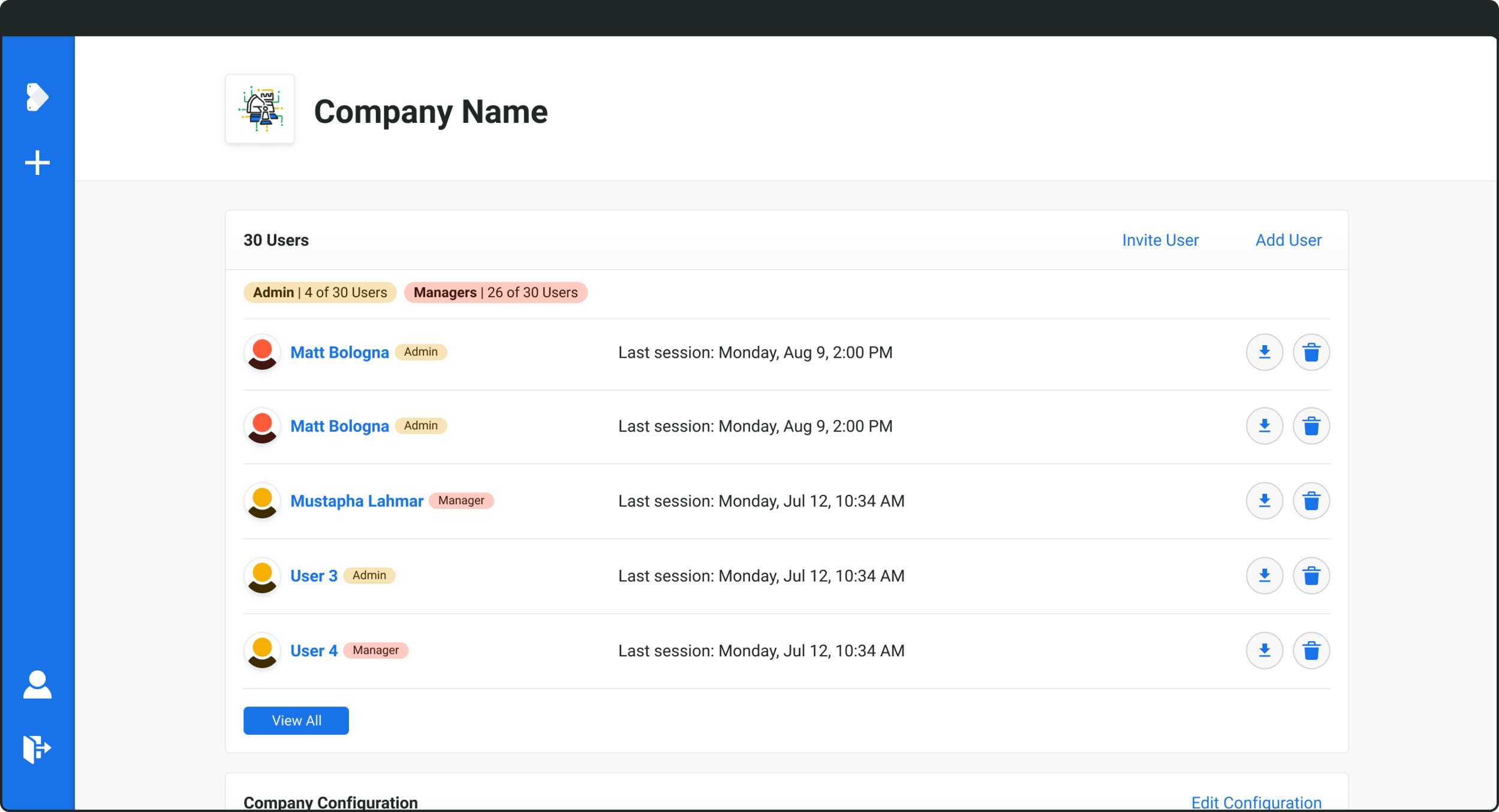
We proposed unifying the environments. A user could create a company once, invite or add users in one place, and select which environments they should have access to. Bulk by default, with the ability to edit any environment individually. The redesign also folded in the educational text from the flag audit, alongside searchable fields, permissions-based access, and SSO.
Reconfiguring the database
The architecture change had real implications for the underlying database. When we shared the proposal at sprint demo, engineering raised concerns. Not about feasibility, but about effort. The legacy data model siloed each company instance per environment, with environment-specific IDs that prevented any cross-environment connection.
We worked through a few options for how to reconfigure: adding rules around the existing databases, layering a new abstraction on top, or restructuring the underlying data model entirely. Each had different effort tradeoffs, and we agreed to keep moving on the design while engineering scoped what each option would actually take to build.
Designing the new app
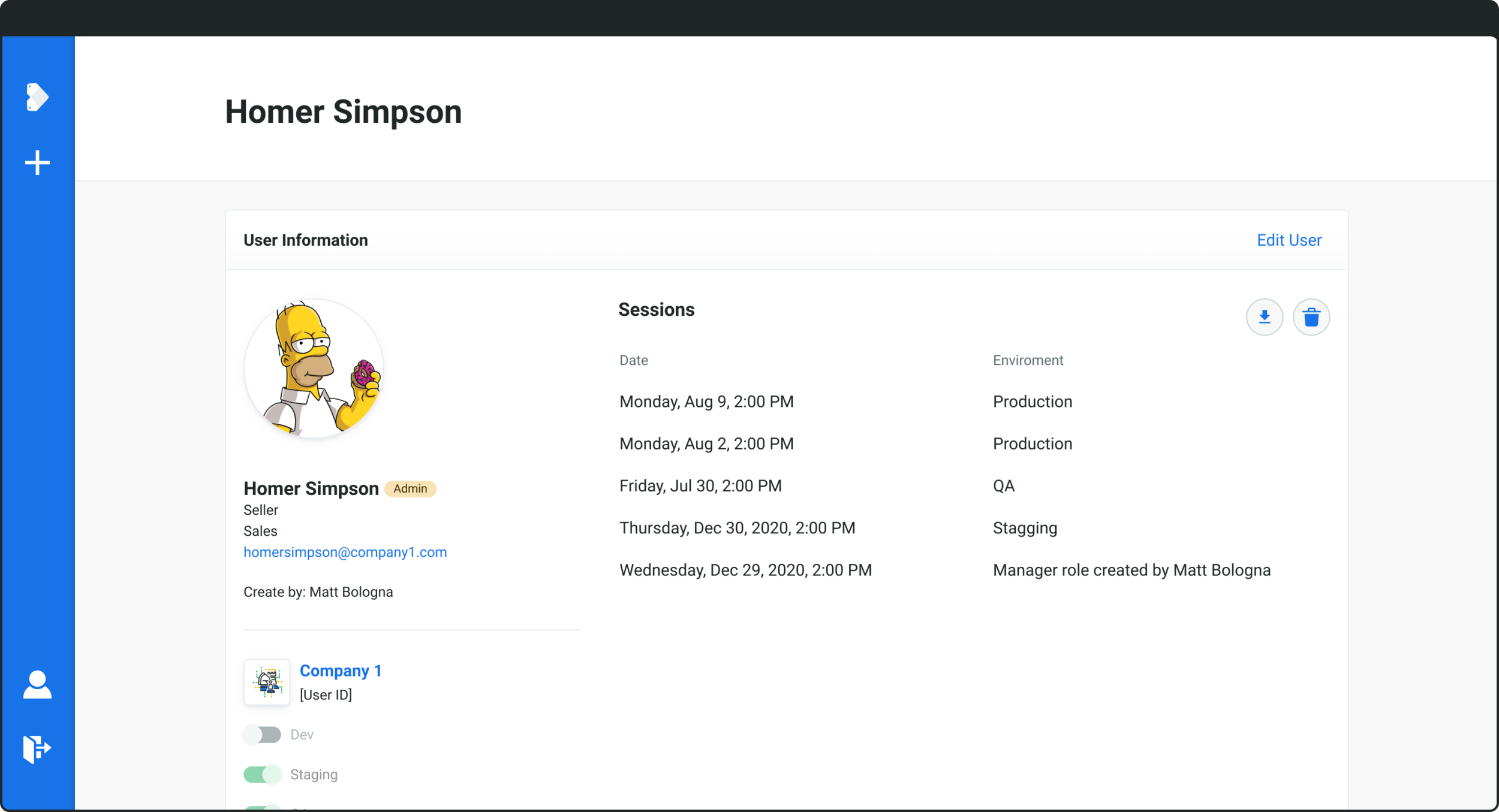
With the architecture and ticketing in place, design ran in two-week sprints across the MVP backlog. The new Admin App leaned on Flatiron, Inturn's design system, so most of the time went into the harder questions: how to surface 100+ feature flag definitions inline without overwhelming the page, how to make bulk environment management feel as natural as managing a single one, how to bring permissions and SSO into a tool that had never had them. A few must-haves anchored the work: searchable feature flags with selectable chips, embedded flag definitions, all environments associated with a company visible in one place, quick lookup for company IDs, Google SSO, and full user, permission, and status management.
Looking back
The Admin App was a different kind of project for me. Less about visual design, more about cross-functional planning, technical scoping, and the slow work of mapping a system to the people who actually used it. I learned to design at the seam between product, engineering, and operations, and that's been most of what I do now.